Project
Employee Management Tool
A real-time scheduling tool built for an interior decorating business. It combines a drag-and-drop calendar, multi-employee job assignment, Google Maps address lookup and printable daily plans. Built with Next.js, TypeScript, Node.js, Socket.IO and MongoDB, and deployed with Docker.
- Role
- Solo developer
- Stack
- managmenteconomydatabase structured
Overview
One shared calendar for the whole crew
A freelance project for an interior-decorating business that runs two locations. The teams needed a single, live picture of who is doing which job, when and where — replacing phone calls and paper day-sheets. This app is that picture: a real-time scheduling board where every employee is a column and every job is a block you can drag into place.
Because it is backed by a live database, a change made at one location is visible at the other instantly. Daily plans print cleanly for crews who still want paper in the van, and an activity log keeps a record of what changed.
The board
A drag-and-drop scheduling calendar
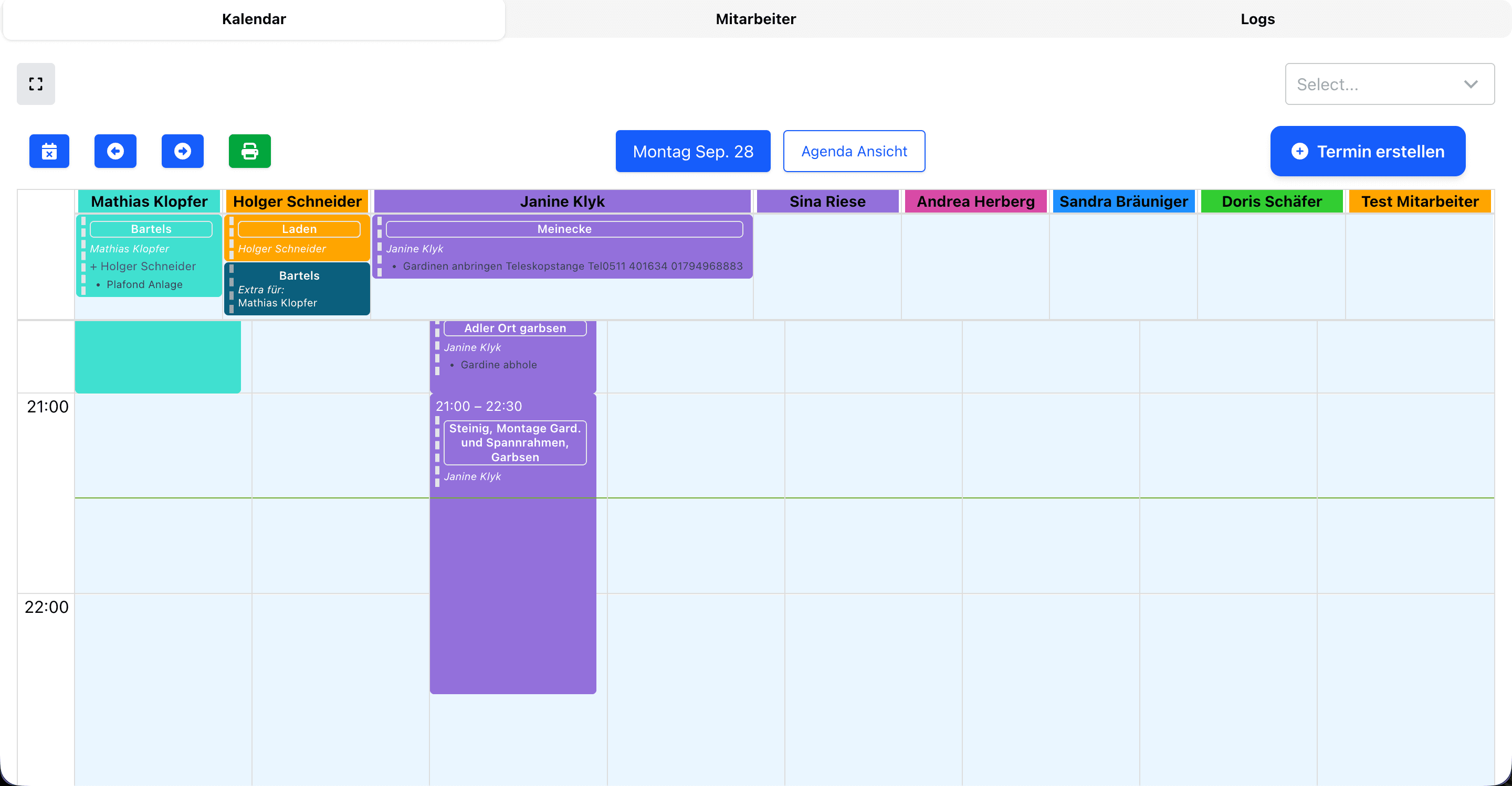
The main view is a day/week calendar with one colour-coded column per employee. Jobs sit as blocks spanning their time slot, showing the customer, address and any assisting staff at a glance. New jobs are created straight from the toolbar, and the whole day can be printed in one click for handout.
Focus view
Zoom in on one person's day
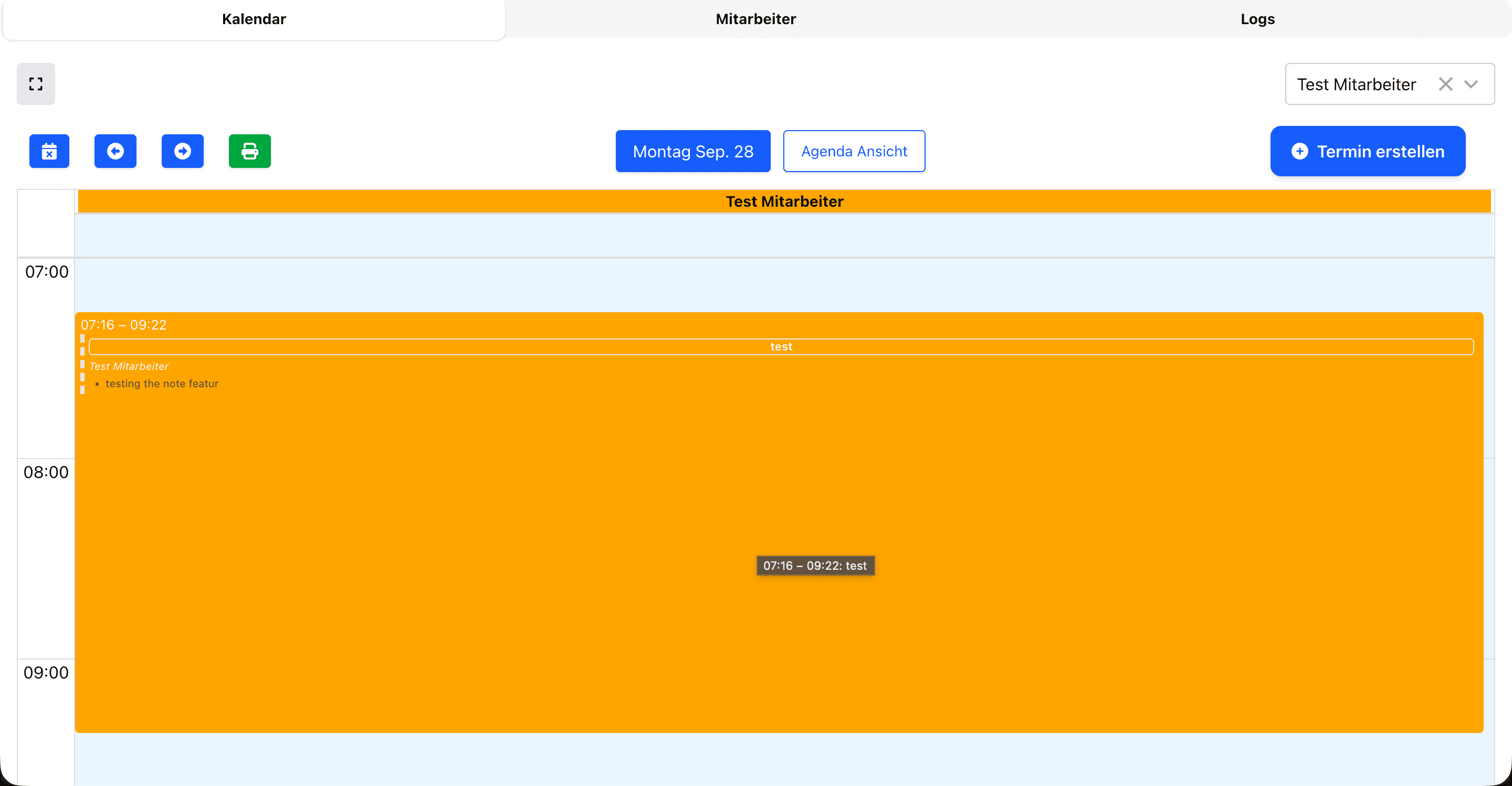
Selecting a single employee filters the board down to just their schedule, expanding each job so the times, title and notes are easy to read — useful when briefing one person or printing an individual's run sheet.
Jobs
Rich job details with maps
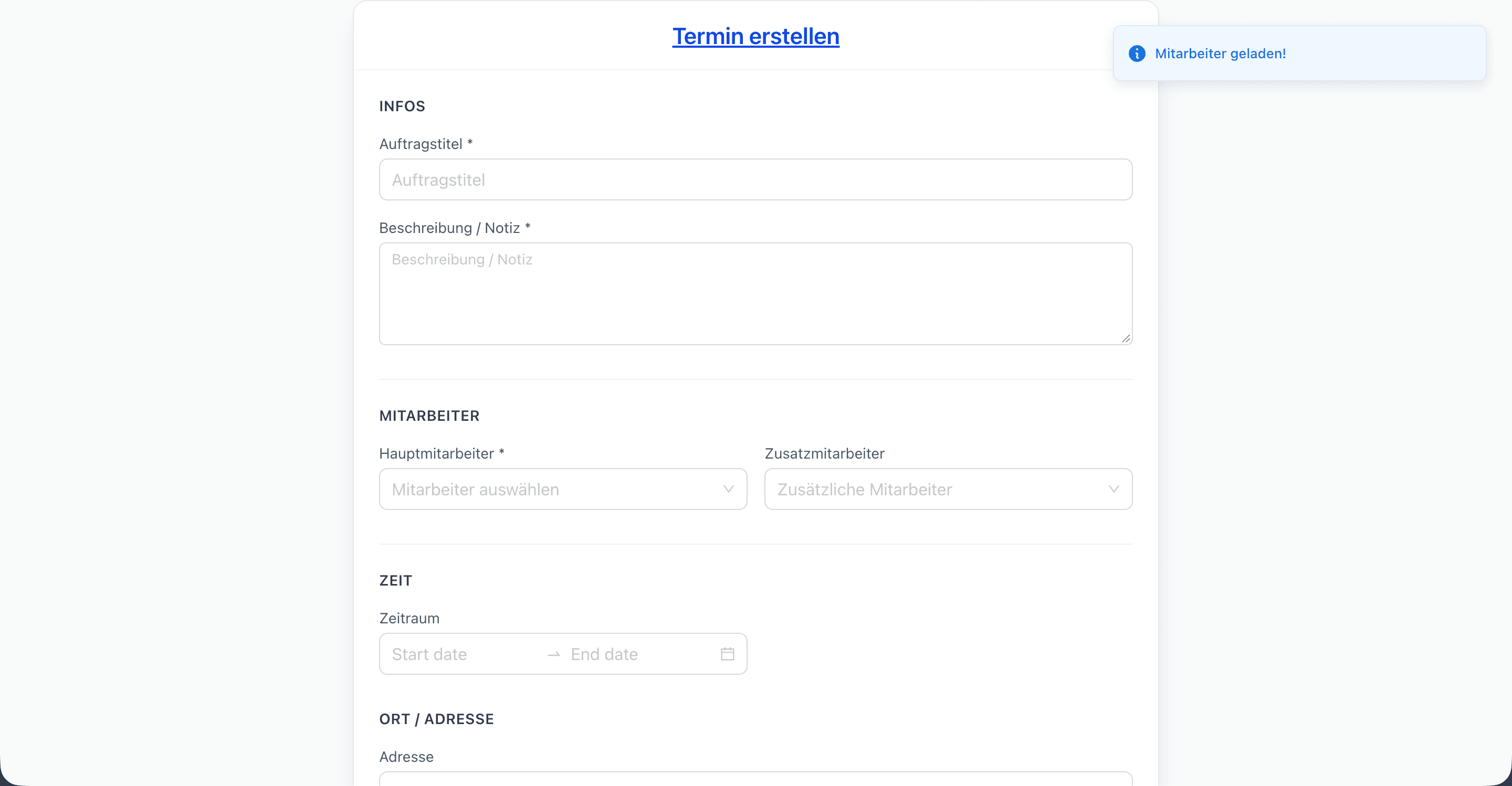
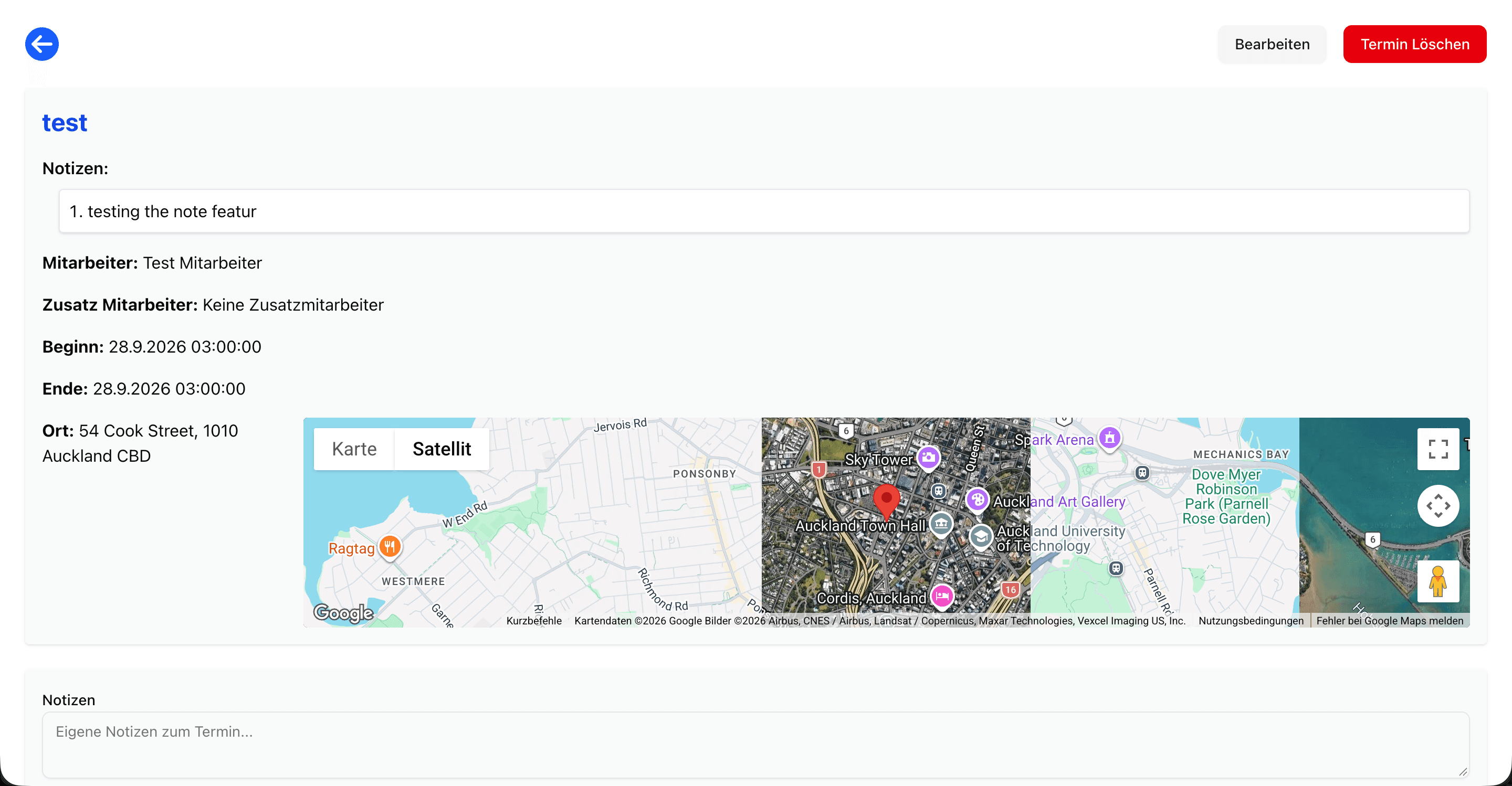
Every job carries the essentials — title, description/notes, a main employee plus optional assisting staff, a start and end time, and a location. Addresses are resolved through Google Maps so the crew gets a real map and satellite view of exactly where they're headed, not just a line of text.
Under the hood
How it's built
A Next.js and TypeScript frontend talks to a Node.js backend over Socket.IO, with MongoDB for storage, and the whole thing is containerised with Docker for deployment. Highlights:
- Real-time updates via Socket.IO — both locations stay in sync with no refresh
- Drag-and-drop calendar with per-employee columns
- Multi-employee job assignment (a main worker plus assistants)
- Google Maps address lookup with map + satellite preview
- Print-friendly daily and per-employee plans
- Activity log for an audit trail of changes
- Dockerised for reproducible deployment