Project
School Grading / Calculation System with backend connection
A real-time grade management system for primary schools. Teachers enter grades by subject, the app calculates weighted averages automatically, and completed terms are archived with one click. Built with Next.js, TypeScript, Node.js, Socket.IO and MongoDB, with role-based permissions and PDF export.
- Role
- Solo developer
- Stack
- calculation-tooleconomyprofitreal-timeautomatic
Overview
Grades that calculate themselves
A freelance project for a German primary school. Teachers used to keep grades in spreadsheets and recompute weighted averages by hand every term — slow and error-prone. This web app turns that into a single source of truth: enter a grade, and every average, term result and report figure updates instantly and identically for everyone with access.
It is built as a real-time, role-based system with three tiers — a school administrator, class teachers, and read paths for pupil records — all backed by a live database so two teachers looking at the same class always see the same numbers.
Grade entry
The core: a live weighted gradebook
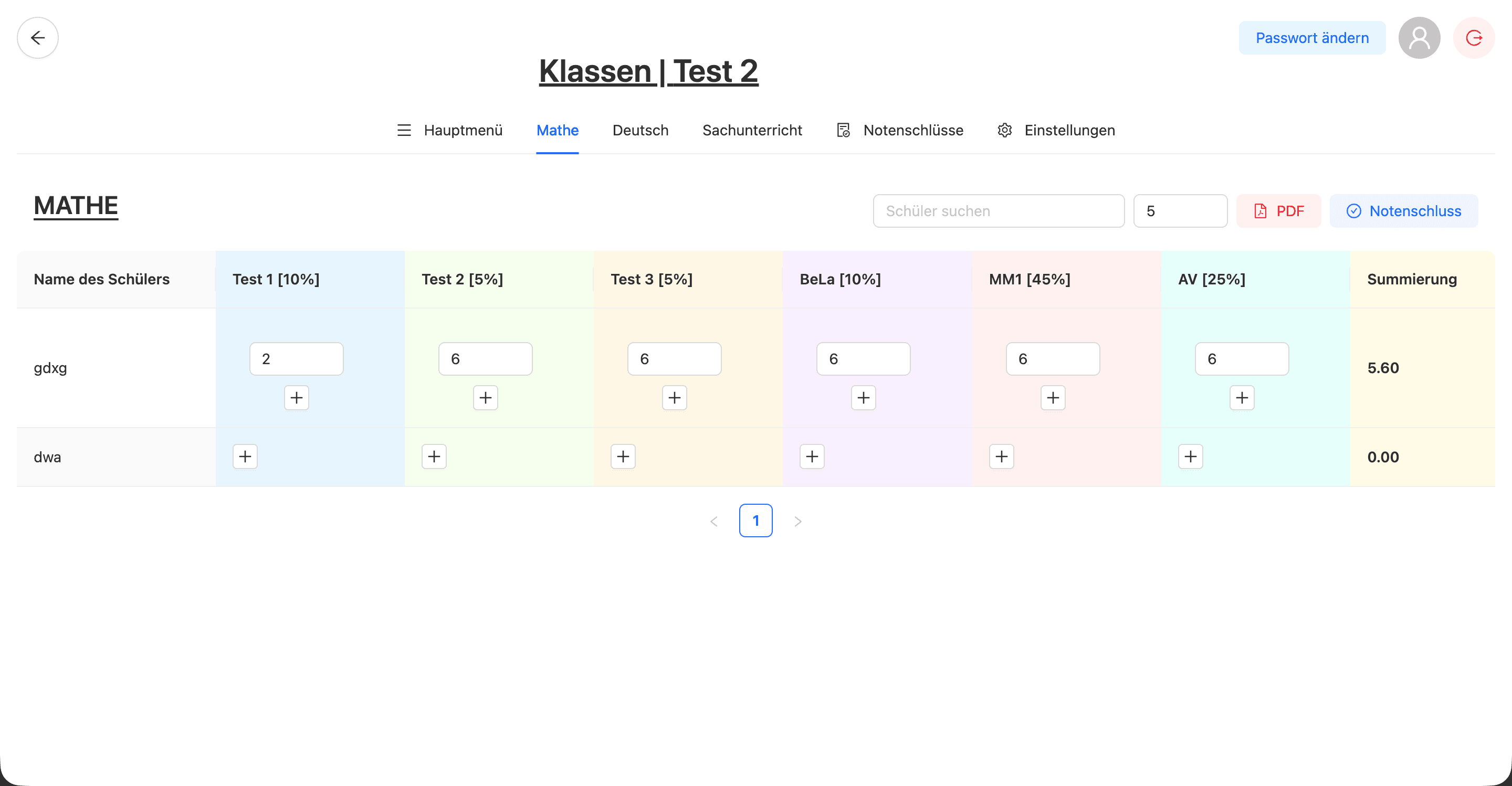
Each subject is a spreadsheet-style grid. Every column carries its own weight — here Test 1 [10%], MM1 [45%], AV [25%] and so on — and the Summierung column recomputes the weighted average the moment a grade changes. A pupil with no grades simply reads 0.00. Teachers can add multiple marks per cell, search for a pupil, page through large classes, and export the whole table to PDF or lock it in as a finished term with one click.
Configuration
Every subject weighted your way
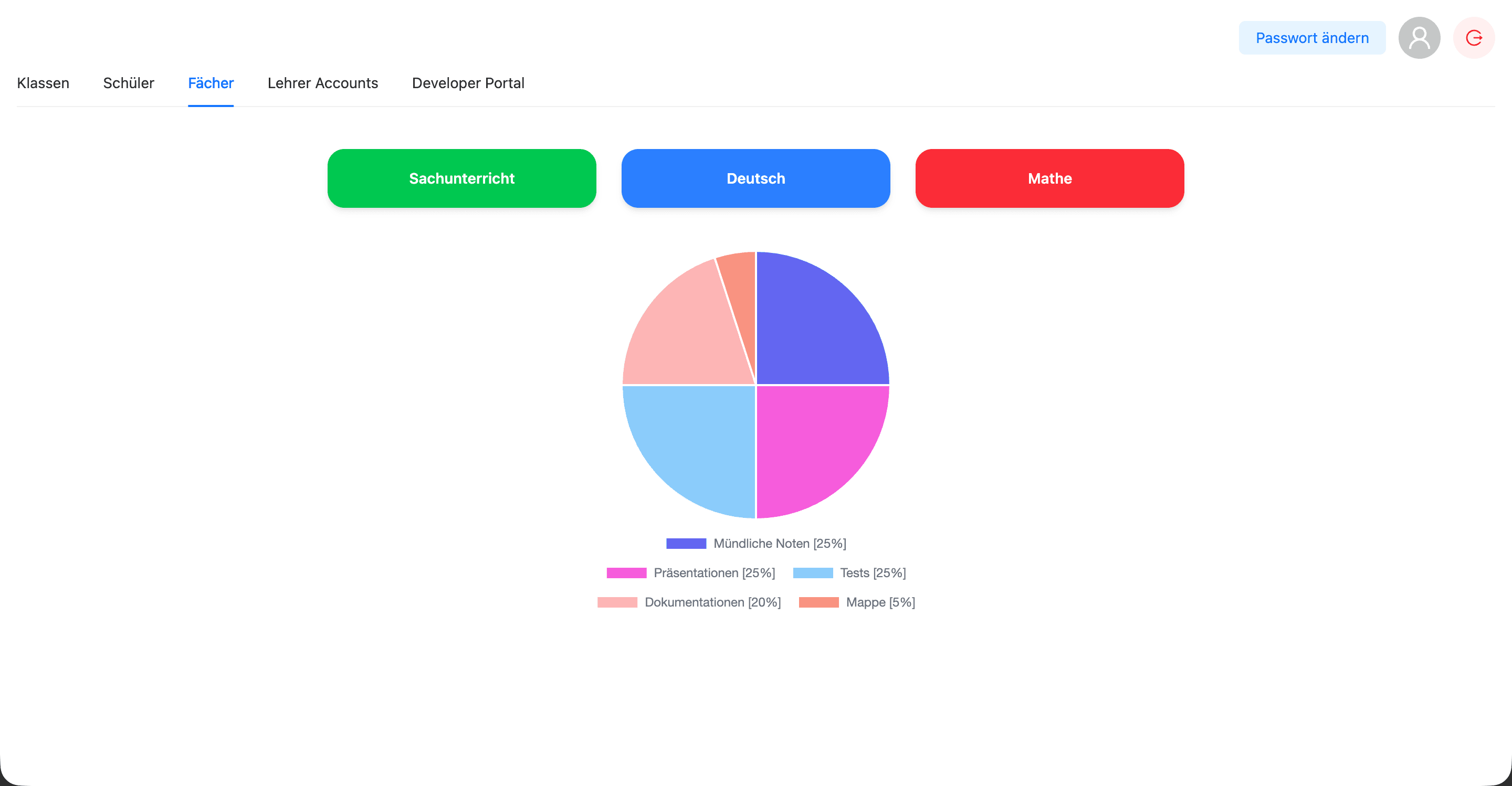
Weighting isn't hard-coded. For each subject an administrator defines how the final grade is composed, and the app visualises the split so it is obvious at a glance. Change a weight and every gradebook using that subject recalculates.
Reports
Term keys and report figures
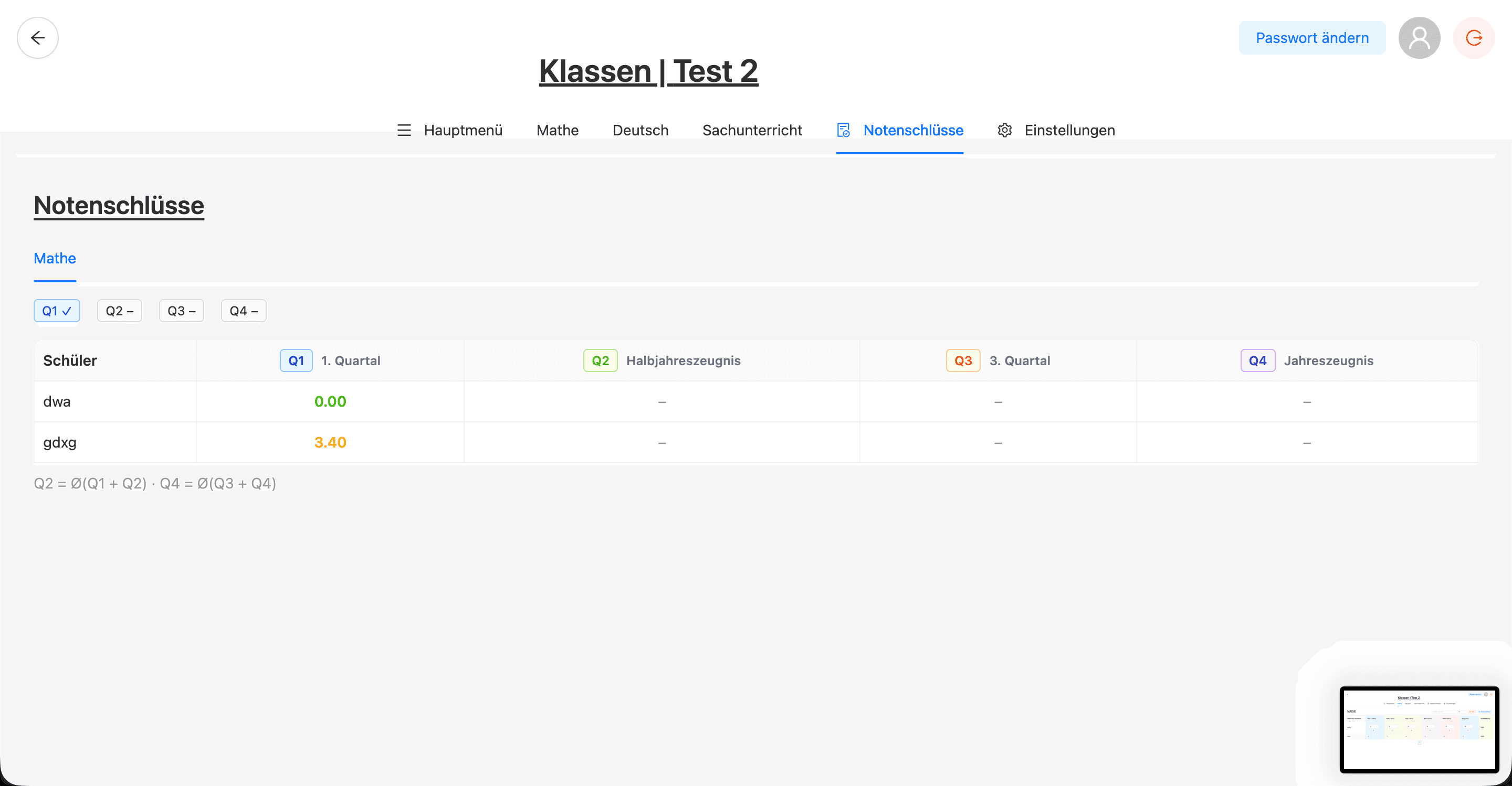
Grade keys map raw averages onto the marks that go on a report. The system tracks all four quarters and derives the composite figures automatically — the half-year and full-year results are the averages of their quarters (Q2 = Ø(Q1 + Q2), Q4 = Ø(Q3 + Q4)) — so a report is never assembled by hand.
Roles & access
Admins, teachers and classes
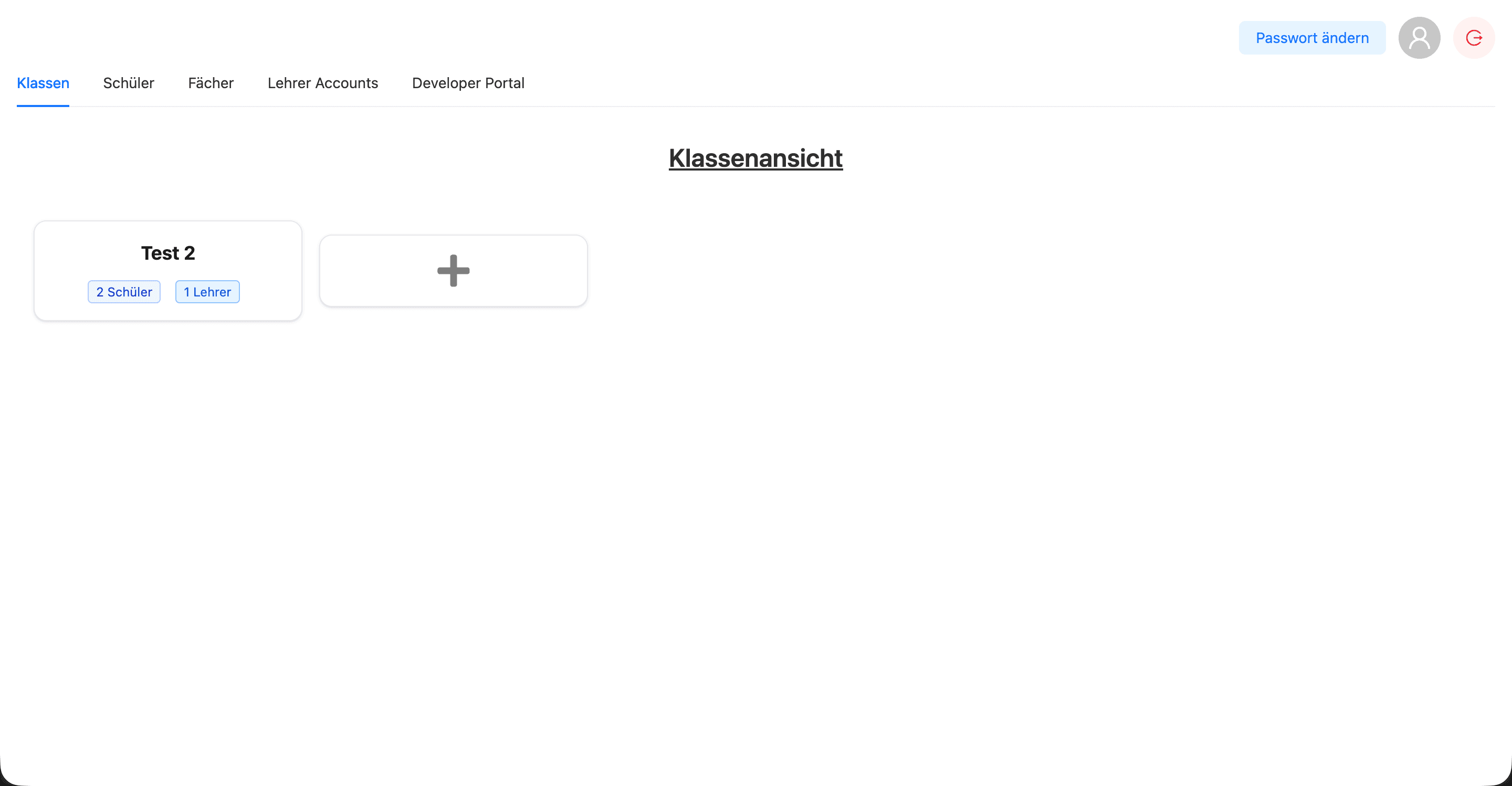
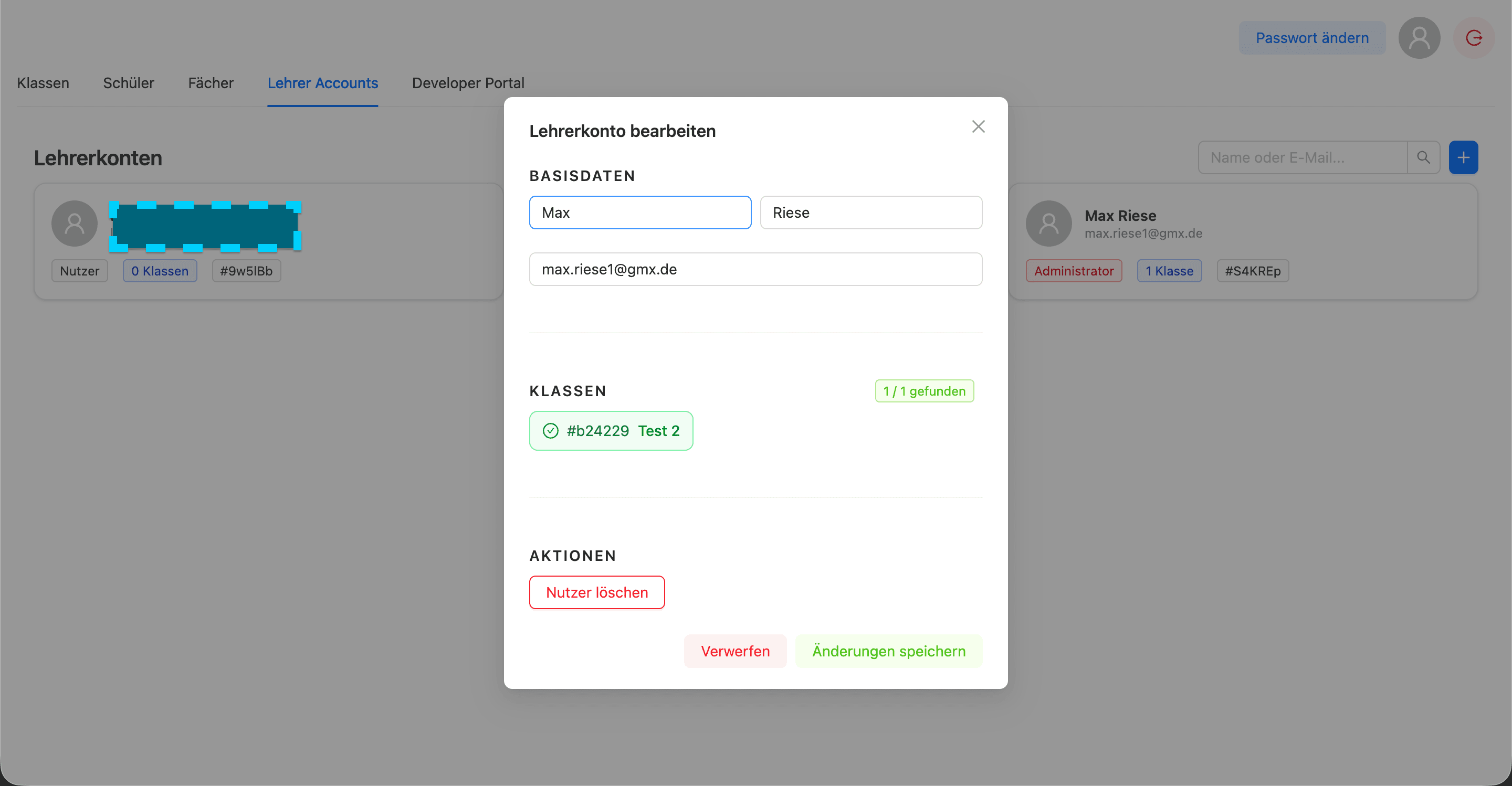
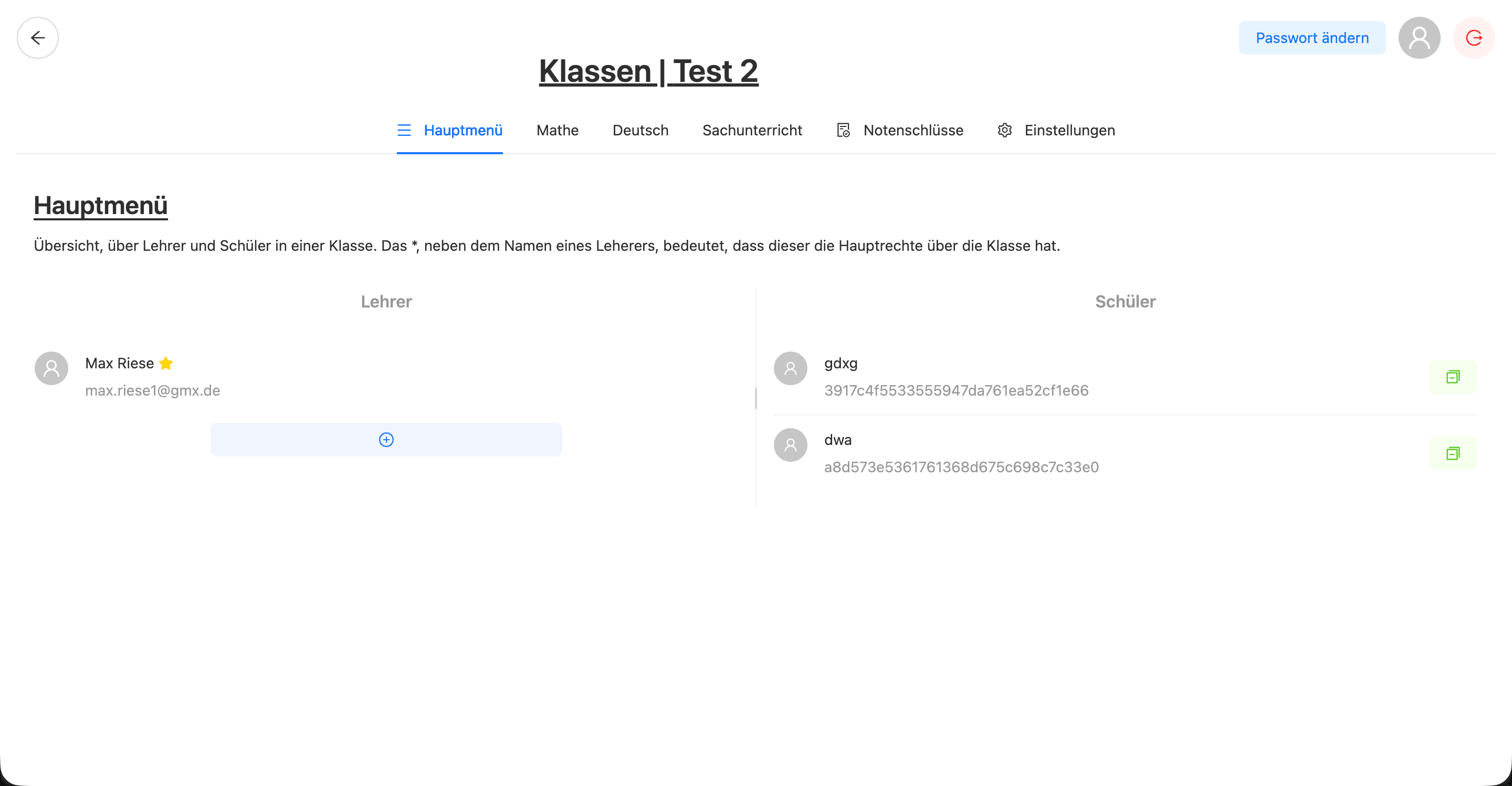
An administration area sits above the gradebooks. From here the school manages classes, pupils, subjects and teacher accounts. Every class shows its roster at a glance, and access is genuinely role-based: administrators manage the whole school, while a teacher only sees the classes assigned to them.
Housekeeping
Class settings & handover
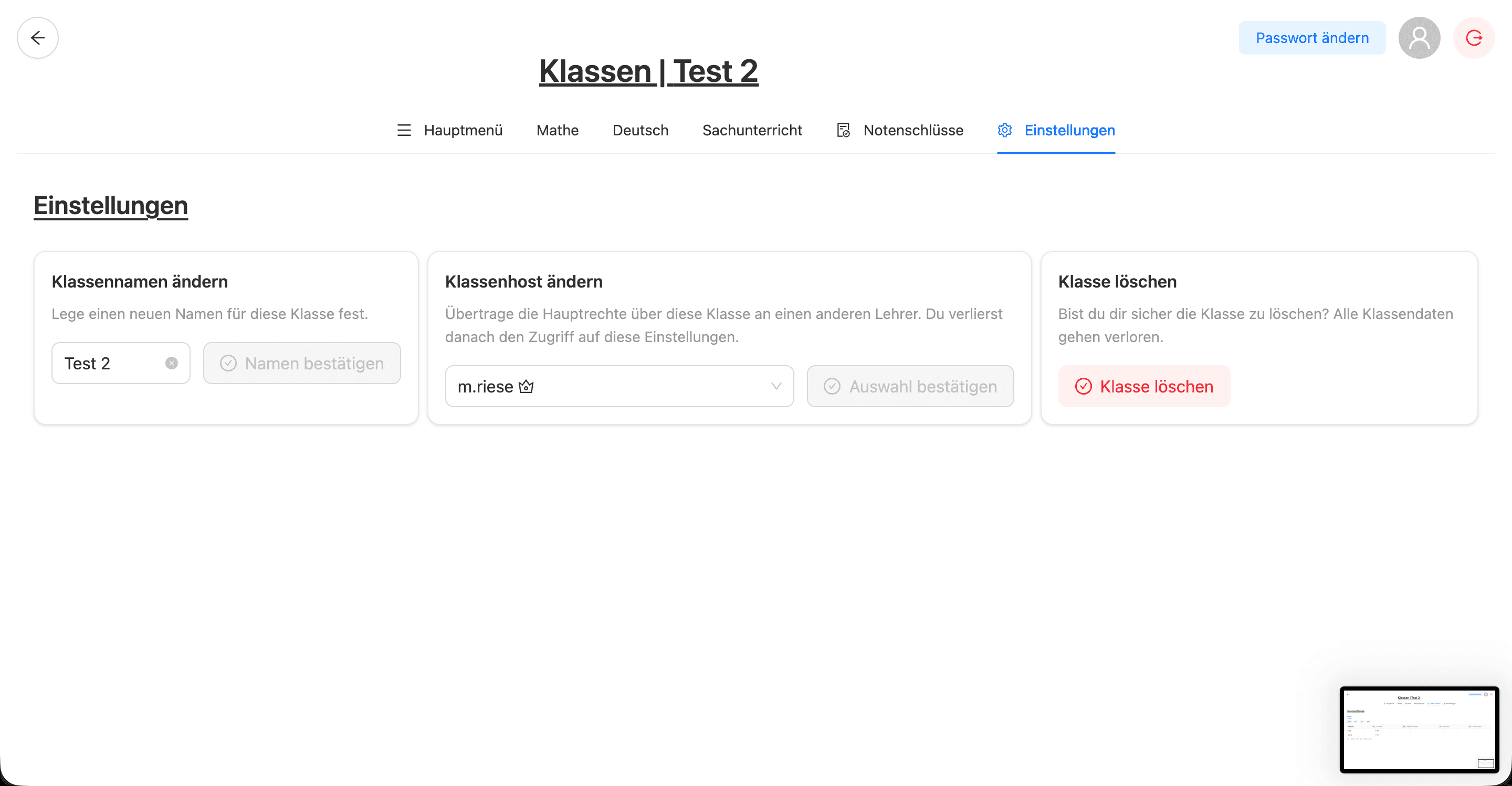
Day-to-day administration is handled inline: rename a class, transfer its primary rights to another teacher, or delete it with an explicit confirmation because the action is irreversible.
Under the hood
How it's built
A Next.js and TypeScript frontend talks to a Node.js backend over Socket.IO, with MongoDB as the store — so edits propagate live to everyone in a class. Highlights:
- Real-time sync across clients via Socket.IO — no refresh to see a colleague's changes
- Configurable per-subject weighting that drives all averages
- Automatic quarter → half-year → full-year aggregation
- Role-based access: school admin vs. per-class teacher scopes
- Server-side PDF export of a class's gradebook
- One-click term close (Notenschluss) to archive completed terms